


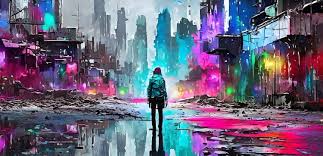
Artificial Intelligence (AI) is changing how we create visual content. Today, generating images with just a simple prompt or reference photo is no longer science fiction—it’s a creative reality. Adobe, a leader in creative software, has stepped into this revolution with powerful tools that allow users to build custom AI image generators starting from a single image. Whether you’re an artist, marketer, or developer, Adobe provides flexible, user-friendly options to bring your ideas to life using AI.
In this guide, we’ll walk you through how Adobe helps you create your own AI image generator from an image, what tools to use, and how to get started.
What Is an AI Image Generator from Image?
A tool to create your AI image generator from image allows you to use a reference photo as the base to create new visuals. Unlike text-to-image models, this method works by transforming or expanding on an input image. It can stylize, enhance, edit, or even fully recreate the image in a different form.
Some common use cases include:
- Turning sketches into realistic art
- Stylizing portraits in cartoon or anime form
- Enhancing low-resolution photos
- Creating multiple versions of a product image for e-commerce
Adobe’s Role in AI-Powered Image Generation
Adobe offers a wide range of creative and AI-driven tools that support image-to-image generation. These include both advanced software for professionals and simplified tools for beginners.
1. Adobe Firefly: Generative AI for Everyone
Adobe Firefly is Adobe’s official AI image generator. Launched as a user-friendly platform, Firefly allows users to generate images from both text prompts and existing visuals. Its “Generative Fill” and “Generative Recolor” tools are perfect for turning a single image into something completely new.
Key Features:
- Generate images from photos using AI
- Easily replace, add, or transform parts of an image
- Built into Adobe Photoshop and Adobe Express
Why it matters:
With Firefly, even users with no design experience can manipulate images, try different styles, and produce variations based on one input image.
Adobe Express: No Design Skills Needed
Adobe Express is ideal for beginners or social media creators. It combines drag-and-drop design with Firefly AI features to quickly create professional visuals.
Perfect for:
- Quickly turning reference photos into social-ready images
- Applying AI effects to product photos or profile pictures
- Auto-generating design elements from uploaded images
It’s web-based and works across devices, making it a great option for users who want fast results.
Step-by-Step: How to Create Your AI Image Generator Using Adobe Tools
Let’s break down the process of building your own AI image generator using Adobe tools, especially Firefly and Photoshop.
Step 1: Choose Your Reference Image
Pick a clear and relevant image to use as the base. This could be:
- A sketch or illustration
- A product photo
- A portrait or landscape
Make sure it’s high-resolution to allow for better results.
Step 2: Open Adobe Firefly or Photoshop
- If you’re using Firefly, go to firefly.adobe.com
- For Photoshop, open the latest version with Firefly integration
Upload your image into the editor.
Step 3: Apply Generative AI Tools
In Firefly:
- Use “Generative Fill” to expand or change parts of the image
- Use “Text to Image” with your image as reference for styling
In Photoshop:
- Select the area you want to change
- Right-click and choose “Generative Fill”
- Add a text prompt (e.g., “add clouds,” “change background to city view”)
Step 4: Review and Tweak
Adobe tools offer multiple variations with each generation. Choose the one that fits best and fine-tune it using traditional editing tools like brushes or filters.
Step 5: Export and Use
Once done, export your AI-generated image in the desired format (PNG, JPEG, PSD, etc.). Use it for social media, marketing, eCommerce, or print design.
Who Can Benefit from This?
Here are a few groups who can benefit from Adobe-powered image-to-image AI generation:
🎨 Graphic Designers: Speed up creative workflows
📱 Social Media Managers: Instantly create branded content
🛍️ Ecommerce Owners: Generate product variations
📰 Marketers: Design ad creatives with minimal effort
🧑🎓 Students and Educators: Explore AI for academic or creative projects
Final Thoughts
Creating your own AI image generator from a single image used to require coding skills and access to complex models. Thanks to Adobe Firefly and its integration into tools like Photoshop and Express, anyone can now explore AI-based image generation with ease.
Whether you’re looking to enhance your visuals, create custom art, or experiment with creative AI, Adobe’s tools provide everything you need to start. With a few clicks, your simple photo can turn into something extraordinary.