


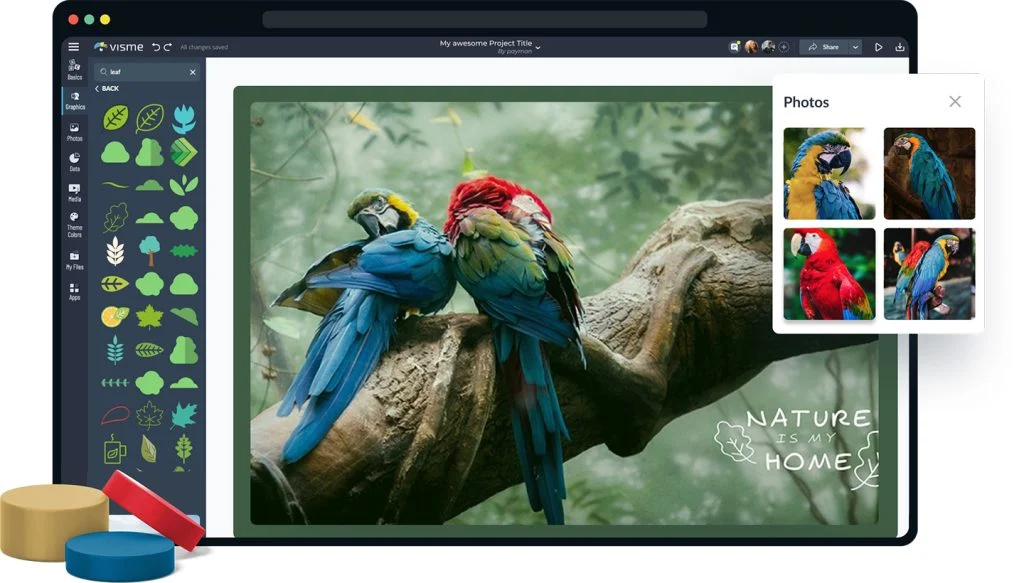
Creating a wallpaper that actually reflects your style, brand, or vision used to require advanced software skills and hours of trial and error. Today, online design tools have changed the game entirely, making it possible for anyone to build something polished and personal from scratch. Whether you are designing a desktop background, a phone lock screen, or a digital backdrop for a virtual meeting, the right platform can make all the difference. This guide breaks down everything you need to know about customizing wallpaper designs, from choosing colors and images to adding text and finishing touches.
Why Wallpaper Design Matters More Than You Think
Wallpaper is the first thing you see every time you open your device. For personal users, it sets a mood or showcases a personality. For brands and creators, it can reinforce visual identity, keep messaging consistent, and even serve as a marketing asset across digital platforms. Despite being so visible, wallpaper design is often treated as an afterthought, something people rush through with a stock image or a default color.
Investing a little time and intention into your wallpaper design pays off in ways that extend beyond aesthetics. A thoughtfully designed wallpaper can reduce visual clutter on your desktop, highlight what matters most on your screen, and create a sense of cohesion across your digital workspace. For businesses, it can turn every employee’s screen or every branded digital asset into a quiet but consistent brand touchpoint.
The good news is you do not need to be a graphic designer or own expensive software to create something great. Online tools now offer robust customization features, including color palette controls, font libraries, image editing, and drag-and-drop layouts that make the process accessible to everyone.
What to Look for in a Wallpaper Design Tool
Before diving into tips, it is worth understanding what separates a good wallpaper design platform from a frustrating one. The best tools share a few key characteristics.
Intuitive interface. You should be able to start designing within minutes, not hours. A clean layout with clearly labeled tools means you spend your time creating, not hunting through menus.
Resolution and size flexibility. Wallpapers come in many sizes, from mobile screens to ultrawide monitors. A solid tool will let you set custom dimensions or choose from presets for common device types.
Customization depth. Beyond basic templates, the best platforms let you adjust colors, swap fonts, reposition elements, upload your own images, and fine-tune spacing and alignment.
Export quality. Your final design should be exportable at a high resolution so it looks crisp on retina displays and high-pixel-density screens.
Template variety. Starting from a template is a smart shortcut, but only if those templates are varied, current, and not overused by millions of other people. Look for platforms that refresh their libraries regularly.
10 Tips for Customizing Wallpaper Designs Like a Pro
Start With a Clear Purpose
The single most important step before you open any design tool is deciding what your wallpaper needs to do. Is this a personal motivational background? A branded desktop for a remote team? A seasonal design to refresh your phone? Your purpose shapes every decision that follows, from color choices to font style to image selection.
When you have a clear goal, it is also easier to evaluate whether your design is working. A motivational quote wallpaper should be readable at a glance. A brand-focused wallpaper should include the right logo placement and color palette. A nature-inspired background should feel calming. Clarity of purpose keeps your design decisions focused and intentional.
Avoid trying to accomplish too many things at once. Wallpapers that try to be both informative and decorative and personal often end up feeling cluttered. Pick one primary purpose and let that guide the rest.
Choose a Color Palette Before Anything Else
Color is the foundation of any strong visual design. Before you choose a layout, pick a font, or search for an image, settle on a color palette. A cohesive palette of two to four colors will make the rest of your design fall into place much more naturally.
Consider the emotional tone you want your wallpaper to convey. Cool blues and grays create a calm, professional feel. Warm oranges and yellows suggest energy and creativity. Deep jewel tones communicate luxury and depth. Neutral earth tones bring a grounded, organic quality. Whatever mood you are going for, make sure your palette supports it.
Free color palette generators available online can help if you are not confident picking colors from scratch. Many allow you to upload an inspiration image and pull a harmonious set of colors from it automatically. Once you have your palette, stick to it throughout the entire design.
Use High-Quality, Royalty-Free Images
If your wallpaper includes a photo or illustration, image quality matters enormously. Low-resolution images look pixelated on modern high-DPI screens and immediately undermine an otherwise solid design. Always source images at the highest resolution available, ideally 300 DPI or higher for large displays.
Beyond resolution, make sure any images you use are actually licensed for your intended purpose. Many free stock sites offer images under creative commons or similar licenses that allow personal and commercial use. Read the fine print before downloading, especially if you are designing something that will be used in a professional or commercial context.
If you have the option to use vector illustrations rather than raster photos, consider it. Vectors scale infinitely without losing quality, which means your wallpaper will look crisp on any screen size.
Leverage Adobe Express for Fast, Flexible Wallpaper Creation
One of the most capable and user-friendly platforms available right now is Adobe Express. It offers a dedicated workspace to make a wallpaper with customizable templates, an extensive font library, and a full suite of image editing tools built right into the interface.
What sets Adobe Express apart is the combination of professional-grade assets with an approachable drag-and-drop interface. You can adjust colors to match a specific brand palette, swap images in and out with a single click, resize your design for different devices without starting over, and access thousands of fonts to get the typography exactly right. It also integrates with Adobe Stock, giving you access to a massive library of licensed images directly within the tool.
Whether you are creating something for personal use or for a business, Adobe Express delivers the flexibility to work quickly without sacrificing quality. Templates are organized by theme and size, so finding a starting point that fits your vision is straightforward.
Master the Art of Typography in Wallpaper Design
Text on a wallpaper is a double-edged sword. Done well, it adds meaning and personality. Done poorly, it creates visual noise and becomes illegible the moment app icons are layered on top of it. The key is treating typography as a design element, not just a content layer.
Start by choosing a font that matches the mood of your design. Script and handwritten fonts feel personal and creative. Sans-serif fonts are clean and modern. Serif fonts carry a sense of tradition and elegance. Bold display fonts make strong visual statements. Whatever you choose, limit yourself to one or two font families within a single design.
Pay close attention to contrast. Text should always stand out clearly against whatever is behind it. If your background is complex or image-heavy, consider adding a semi-transparent overlay or a color block behind your text to ensure readability. Size matters too. For desktop wallpapers, text that will sit behind app icons can be kept subtle or placed in a corner where icons rarely appear.
Design With Your Icon Layout in Mind
This is one of the most overlooked tips in wallpaper design, and it can make or break how good your wallpaper looks in everyday use. App icons on both desktop and mobile operating systems follow predictable grid patterns. If your design has a focal point, a bold graphic element, or important text, place it in an area of the screen that will not be covered by those icons.
For desktop backgrounds, the left side and bottom portion of the screen are typically used for desktop shortcuts and taskbars. Consider placing key visual elements in the center or upper right of your composition. For mobile wallpapers, the center of the screen is usually the clock and key information, while the bottom hosts the dock. Knowing these layout conventions in advance will save you from frustration when you go to apply your finished wallpaper.
Many wallpaper design tools allow you to preview your design in a simulated device frame before exporting. If that option is available, use it.
Explore Gradient Backgrounds for a Modern Look
Solid colors are reliable but gradients have become one of the defining visual trends in digital design over the past few years. A well-crafted gradient background adds depth and visual interest without cluttering your design. It also provides a dynamic backdrop that transitions smoothly across different lighting conditions on modern screens.
Gradients work especially well when paired with minimal text or a single graphic element. The gradient itself does the heavy lifting visually, allowing other design elements to breathe. Mesh gradients, which blend multiple colors in a soft, organic pattern, are particularly popular right now for desktop and mobile wallpapers.
When building a gradient, work within your established color palette. Gradients that jump across wildly different hues tend to look chaotic. A gradient between two complementary or analogous colors in your palette will feel cohesive and intentional.
Resize and Optimize for Every Device
A wallpaper that looks stunning on a 27-inch desktop monitor may look completely wrong on a smartphone screen. The aspect ratio, focal point placement, and text sizing that work at one dimension can all shift dramatically at another. Whenever possible, create device-specific versions of your wallpaper rather than stretching a single file across multiple uses.
Standard desktop wallpapers are typically 1920×1080 pixels for full HD, 2560×1440 for QHD, and 3840×2160 for 4K. Mobile screens vary more widely, but 1080×1920 and 1170×2532 cover most modern smartphones. Some tools allow you to set a master design and then auto-resize it for different dimensions, which can save significant time if you need multiple versions.
Always export at the highest resolution your device supports. Compressing or downsampling a wallpaper too aggressively will result in visible artifacts and reduced sharpness, especially on high-pixel-density displays.
Use Negative Space Intentionally
Negative space, the empty or minimal areas within a design, is one of the most powerful tools in a designer’s kit. For wallpapers specifically, generous negative space serves a practical purpose: it keeps the background from competing with app icons, widgets, and other interface elements that sit on top of it.
Designers who are new to this sometimes feel the urge to fill every corner of a wallpaper canvas with something. Resist it. A design with strong negative space tends to feel more sophisticated and polished than one that is packed with visual information. It also adapts better to use as an actual functional wallpaper rather than just a decorative image.
Try placing your main design element slightly off-center and letting the rest of the canvas breathe. This asymmetry creates visual tension and makes the composition feel dynamic rather than static.
Refresh Your Wallpaper Seasonally or Strategically
Treating your wallpaper as a static, permanent choice is a missed opportunity. Changing your wallpaper seasonally or in response to major projects, goals, or life moments can reinvigorate your relationship with your devices and workspace. Many people find that a deliberate wallpaper change signals a mental refresh or a new chapter.
For businesses and teams, rotating wallpapers around campaigns, product launches, or seasonal promotions reinforces internal alignment and builds brand momentum. Creating a small library of branded wallpaper designs that employees can choose from gives teams a sense of shared visual identity while still allowing personal choice.
Keeping a folder of your favorite past designs also makes it easy to rotate between them without having to start from scratch each time. A library of on-brand assets, templates, and completed designs becomes a resource you can return to again and again.
Frequently Asked Questions
What resolution should my wallpaper be for the best quality on a modern screen?
For most desktop monitors, a resolution of 1920×1080 pixels is the standard minimum for a sharp, full HD display. If you are using a 4K monitor, you will want to aim for 3840×2160 pixels to ensure the image does not appear stretched or blurry. For smartphones, resolution varies by device, but 1080×1920 is a solid baseline, and checking your specific phone’s screen resolution before designing will guarantee the best result. One useful resource for looking up device screen dimensions and resolutions is ScreenSiz.es, which maintains a detailed database of screen specifications for phones, tablets, and monitors across all major manufacturers. This can help you choose the exact canvas size before you start designing.
Can I use my own photos in a wallpaper design tool?
Yes, most reputable online wallpaper design platforms allow you to upload your own images directly to the editor. Once uploaded, you can typically crop, resize, adjust brightness and contrast, apply filters, and layer other design elements on top of your photo. Keep in mind that the quality of your finished wallpaper will largely depend on the resolution of the photo you start with. If you begin with a low-resolution image, the tool cannot manufacture detail that was never there. For best results, use images taken on a modern smartphone or digital camera, which are typically captured at more than enough resolution for any wallpaper application.
How do I make sure the text on my wallpaper is still readable after I add app icons?
Readability is the most common challenge when adding text to wallpapers that will be used on icon-heavy desktops or home screens. The most effective approach is to place text in predictable safe zones where icons are least likely to appear, such as the upper center of a desktop or the lower third of a mobile screen. You can also increase contrast by placing a translucent color block, frosted glass effect, or solid shape behind your text. Choosing a bold font weight also helps, as lighter fonts tend to disappear against complex backgrounds. Testing your wallpaper with a screen preview that simulates icon placement before finalizing is always a good idea.
What file format should I export my wallpaper in?
For most wallpaper applications, PNG is the preferred export format. PNG supports high color depth without the compression artifacts that JPEG introduces, which means your design will look crisp and clean on screen. JPEG is an acceptable alternative when file size is a concern, but you should export at 90 to 100 percent quality to minimize visible compression. Avoid formats like GIF for wallpapers unless you are specifically creating an animated background, as GIF has significant color limitations that will make your design look degraded. Some platforms also support WebP, which offers excellent quality at smaller file sizes and is increasingly supported across modern operating systems.
Is it possible to create matching wallpapers for both desktop and mobile from a single design?
Yes, and this is actually a great strategy for maintaining visual consistency across devices. The key is to build your core design with a flexible composition in mind, keeping important elements near the center and avoiding placing critical text or graphics at the very edges where they may be cropped differently depending on aspect ratio. Many online design tools include a resize or adapt function that reframes your design for different dimensions automatically. When using this feature, always review the resized version manually before exporting, since automatic resizing does not always preserve the visual balance of the original layout. You may need to nudge elements slightly and adjust font sizes to make the adapted version look intentional rather than cropped.
Conclusion
Designing a custom wallpaper does not have to be complicated or time-consuming. With the right approach and the right tools, anyone can create something that is both visually striking and practically functional for everyday screen use. The tips in this guide cover everything from color selection and typography to resolution choices and device-specific optimization, giving you a complete framework for approaching wallpaper design with intention.
The most important takeaway is this: treat your wallpaper like any other piece of visual communication. Think about your audience, your purpose, and the impression you want to create. Then use a powerful, flexible tool like Adobe Express to bring that vision to life efficiently and professionally. With consistent effort and a bit of creative experimentation, your wallpaper can become one of the most personal and polished parts of your digital environment.
