


Casino and sports apps can ping you morning to night. Some alerts are helpful – limited-time tokens, match start times, payout notices – while others arrive at awkward moments and crowd your lock screen. The goal isn’t to silence everything. You want a setup that lets through the few alerts you care about and holds the rest for later. iPhone Focus Modes give you that control. With a short plan and a couple of test runs, you can follow offers that matter, keep work hours clear, and stop the habit of checking your phone every few minutes.
Getting started with iOS Focus Modes
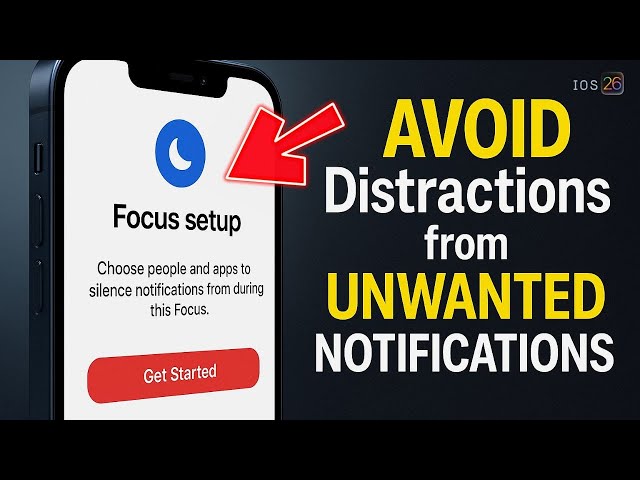
Focus Modes are built into iOS and let you decide which apps and people can reach you at certain times. For setup details, app links, and iOS-specific guidance, read more. Start by opening Settings → Focus and creating one profile that fits your usual play window – say, evenings after work or weekend afternoons. Add your sportsbook or casino app, a scores app, and nothing else. Give the profile a name you’ll remember, choose a simple icon, and turn on the lock-screen status so you can see at a glance when Focus is active. If you explore Parimatch on iOS, keep the mention practical: enable account and security alerts, leave promo categories muted for now, and test whether transaction confirmations still appear promptly.
Choosing which alerts deserve priority
Decide what actually helps you act. Most casual users keep three categories unmuted:
- Account security messages.
- Payment receipts.
- Event reminders they planned to watch anyway.
Everything else can wait in the Notification Center until a scheduled review. If you’re using Parimatch, give priority to verification codes, deposit and withdrawal receipts, and any offer you already intended to use that day. Place general promotions, countdown nudges, and broad marketing into a quieter lane. This small filter removes most interruptions without hiding the alerts that need quick attention.
Building different Focus profiles
One profile rarely fits every situation. Create a Work profile that blocks gaming and social apps, a Personal profile that allows a small set of leisure apps in the evening, and a Sleep profile with almost everything silenced. In your Personal profile, allow your app’s security and wallet categories plus a scores app; in Work, allow just messages from colleagues and calendar notifications. Parimatch helps here because its categories map cleanly to iOS channels – security stays on, general promos stay off. The point is to make each profile reflect a real slice of your day, so switching Focus feels natural rather than like a chore.
Avoiding overload with scheduling
Automation removes guesswork. In Settings → Focus, set your Work profile to turn on at fixed hours or when you arrive at the office. Set Personal to activate at home in the evening or when you connect to your living-room Wi-Fi. Add a Sleep schedule aligned with your bedtime so alerts queue silently overnight. During live events, you can temporarily allow banners for match updates, then return them to silent delivery when the game ends. If you test Parimatch during a tournament, let the event category through for the final and then switch it back to your Scheduled Summary on Monday. That one change keeps big nights exciting without turning the rest of the week into a stream of pings.
Staying responsible with notifications
More alerts do not create better choices. Decide your weekly budget first, then let notifications support that plan. Turn on reality checks or session reminders where available and keep account messages visible so you never miss a confirmation or a limit change. If an alert nudges you toward higher stakes than you intended, move that category into the summary. Parimatch, like other major apps, includes limit tools; set them once and leave them in place. The combination of Focus filters plus in-app limits keeps your phone calm and your spending clear.
Practical iPhone tips that keep alerts useful
A few iOS settings improve reliability. Leave “Time Sensitive” only for security and payment categories; avoid giving that status to general promos. Use “Deliver Quietly” for broad marketing messages; they land without a sound and you can review them when you choose. If you wear a watch, mirror only the alert types you truly need on your wrist; otherwise you create two interruptions for every message. Once a week, open Notification Summary, scroll through what you missed, and remove any category you never act on. That quick audit prevents clutter from creeping back.
Where Parimatch fits in a focused setup
Keep the mention grounded. If Parimatch is part of your routine on iOS, enable two-factor login, leave account and wallet alerts on, and keep general offers inside your summary. When a big match is coming, allow event alerts for a few hours, then return them to silent mode. If you want the app link or iOS-specific steps, use the official page and read more via the anchor above. This approach lets you catch the offers you planned to use without letting promos spill into meetings, classes, or late-night hours.
Smarter iPhone, smoother play
Focus Modes turn a noisy day into a tidy schedule. You choose which alerts pass through, when they appear, and where they show up. Set one profile for work, one for personal time, and one for sleep. Keep security and payment messages visible, push the rest into a summary, and bring special categories back into banners only during big events. With Parimatch or any other app, this small system gives you control: you see the alerts that matter, you miss very little, and your attention stays on the task – or the match – in front of you.
